A-Cloud
WORKFORCE VISIBILITY, SIMPLIFIED

See the workday clearly, wherever your team works.

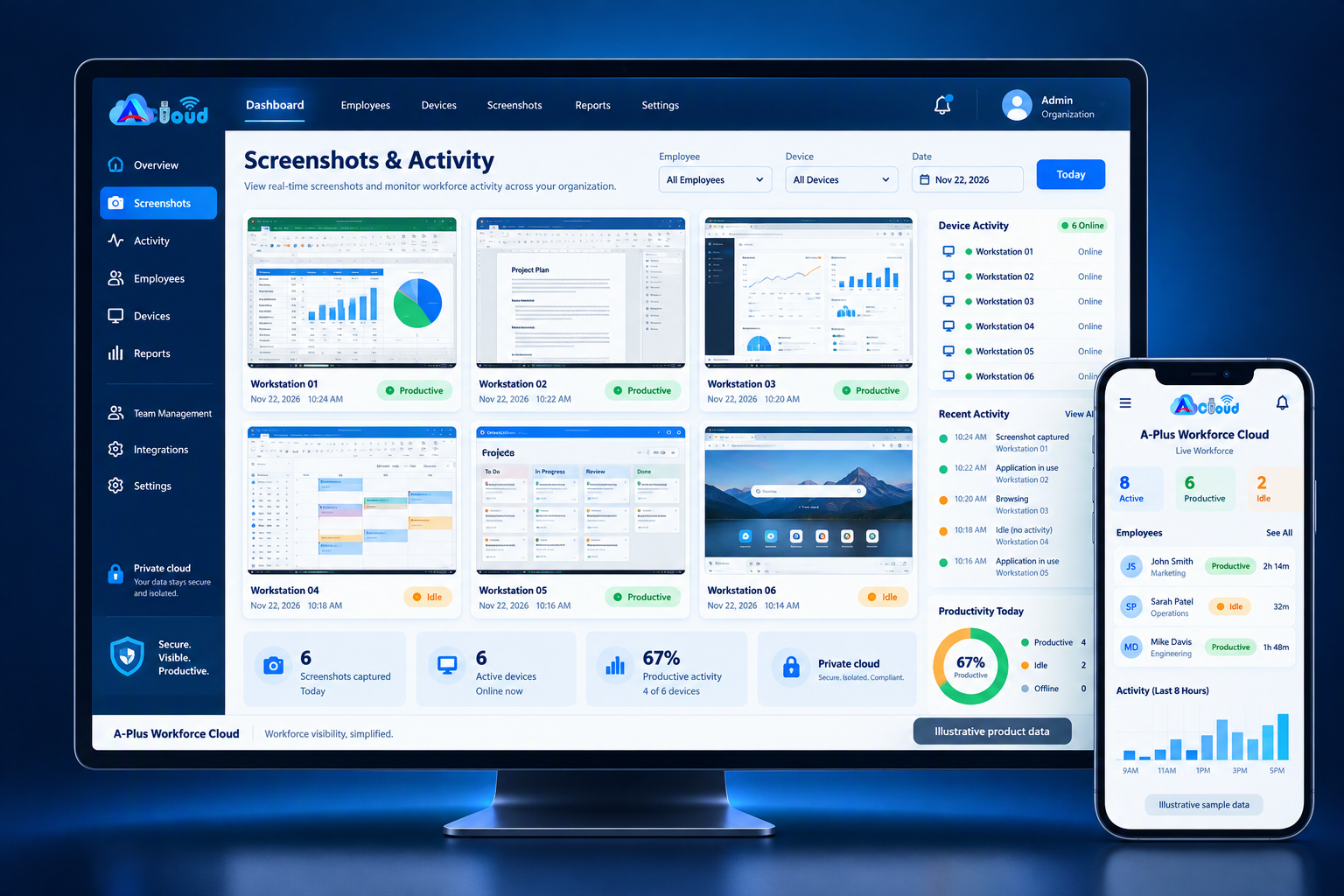
A-Plus Workforce Cloud gives businesses one secure view of workforce status, attendance, screenshots, applications, productivity, devices and reporting across local offices, foreign and back-office teams, remote employees and call centers.

✓ Windows Agent ✓ Secure A-Cloud portal ✓ Multi-location visibility ✓ No manual token entry
A-Plus Workforce Cloud widescreen dashboard with mobile workforce view Illustrative product data
Built for distributed operations Local Offices Remote Teams Foreign / Back Office Call Centers Multi-Location Businesses
WORKFORCE CLOUD IN ACTION

See the workday. Understand the operation.

Workforce Cloud brings attendance, employee activity, screenshots, analytics and reporting together in one secure operational platform.

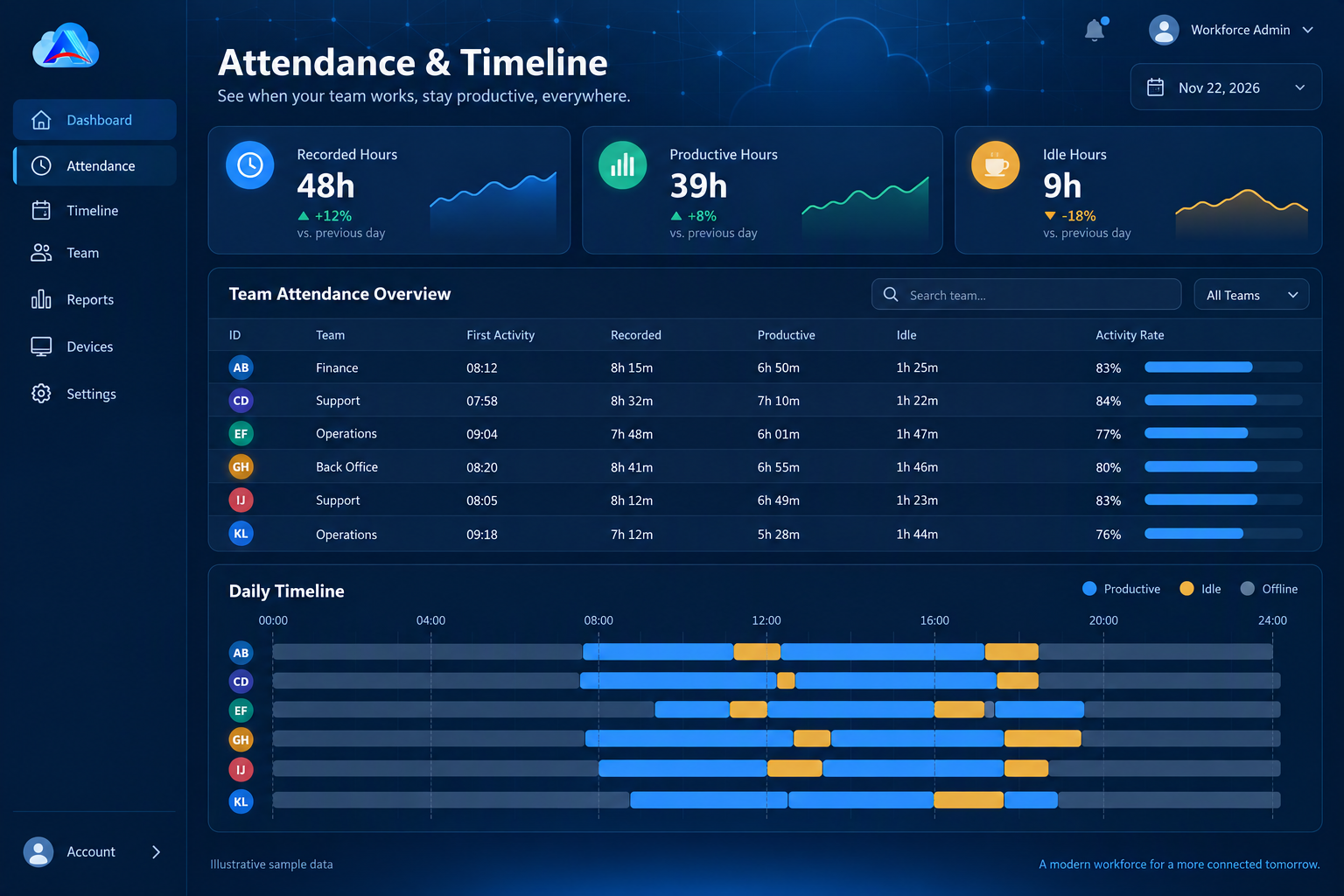
A-Plus Workforce Cloud attendance and timeline dashboard Illustrative product data
ATTENDANCE & TIMELINE

Understand the complete workday.

Review recorded hours alongside productive, idle and offline time. The employee timeline makes it easier to understand when work starts, how activity develops throughout the day, and where time is spent.

  • First and latest activity
  • Recorded work hours
  • Productive and idle totals
  • 24-hour activity timeline
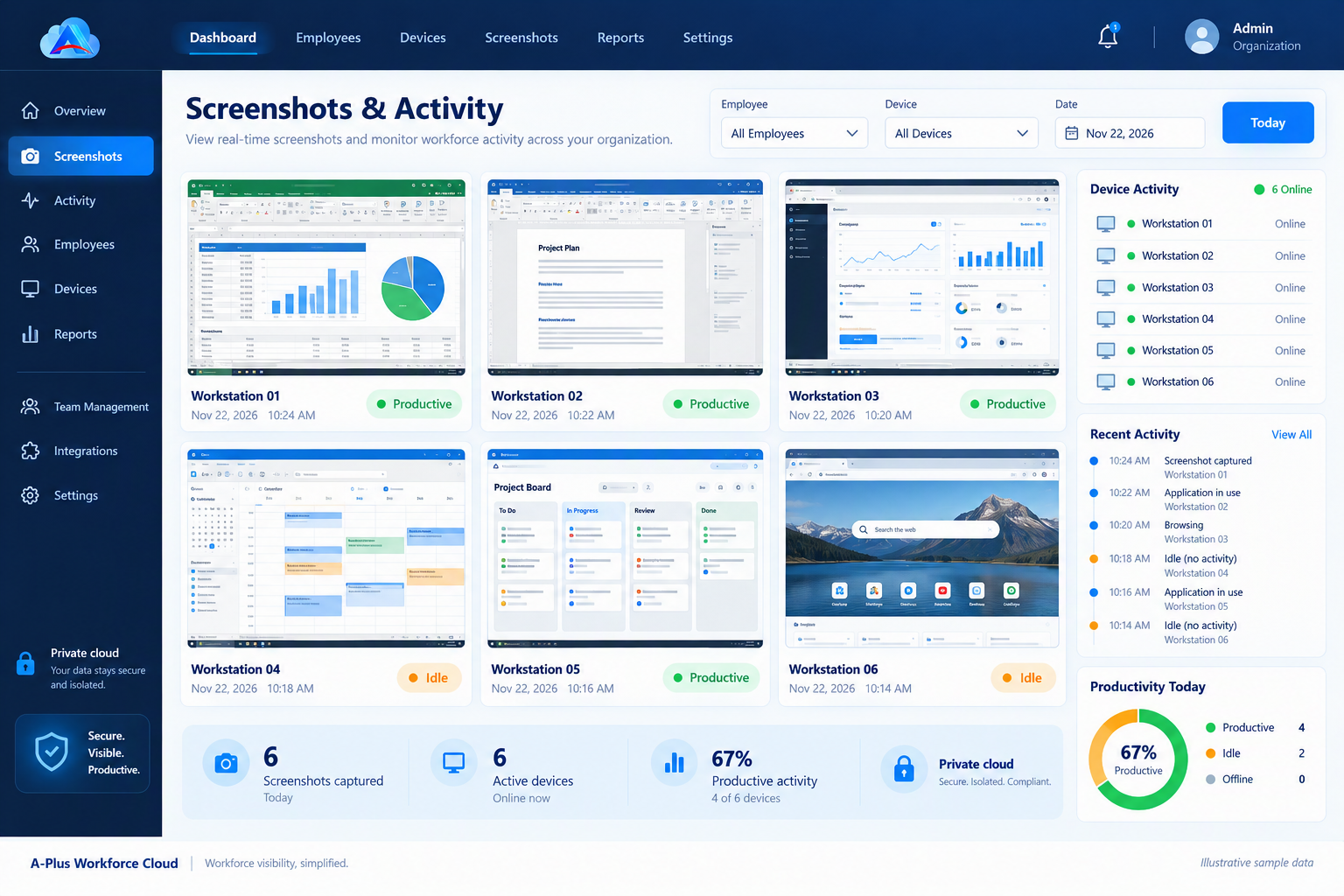
A-Plus Workforce Cloud secure screenshot activity dashboard Illustrative product data
SCREENSHOTS & ACTIVITY

Visual context when you need it.

Secure screenshots provide additional context around workforce activity without forcing managers to jump between disconnected tools. Filter activity by employee, device and reporting period.

  • Secure screenshot monitoring
  • Employee and device filters
  • Activity timestamps
  • Plan-based screenshot retention
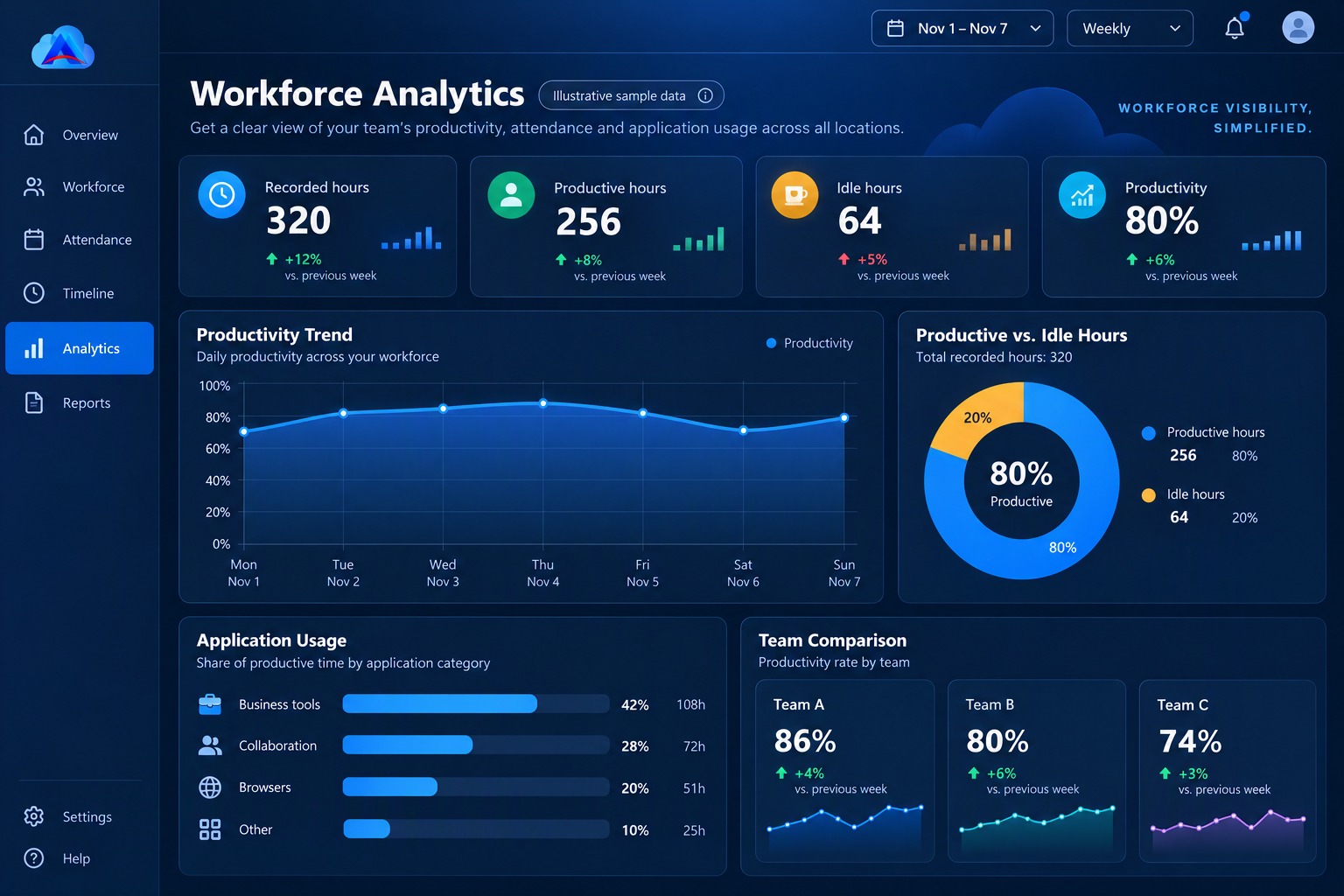
A-Plus Workforce Cloud workforce analytics dashboard Illustrative product data
WORKFORCE ANALYTICS

Turn activity into useful insight.

Move beyond raw activity records with productivity trends, application usage and employee or team-level analysis.

  • Productivity trends
  • Application activity
  • Team comparisons
  • Productive vs. idle analysis
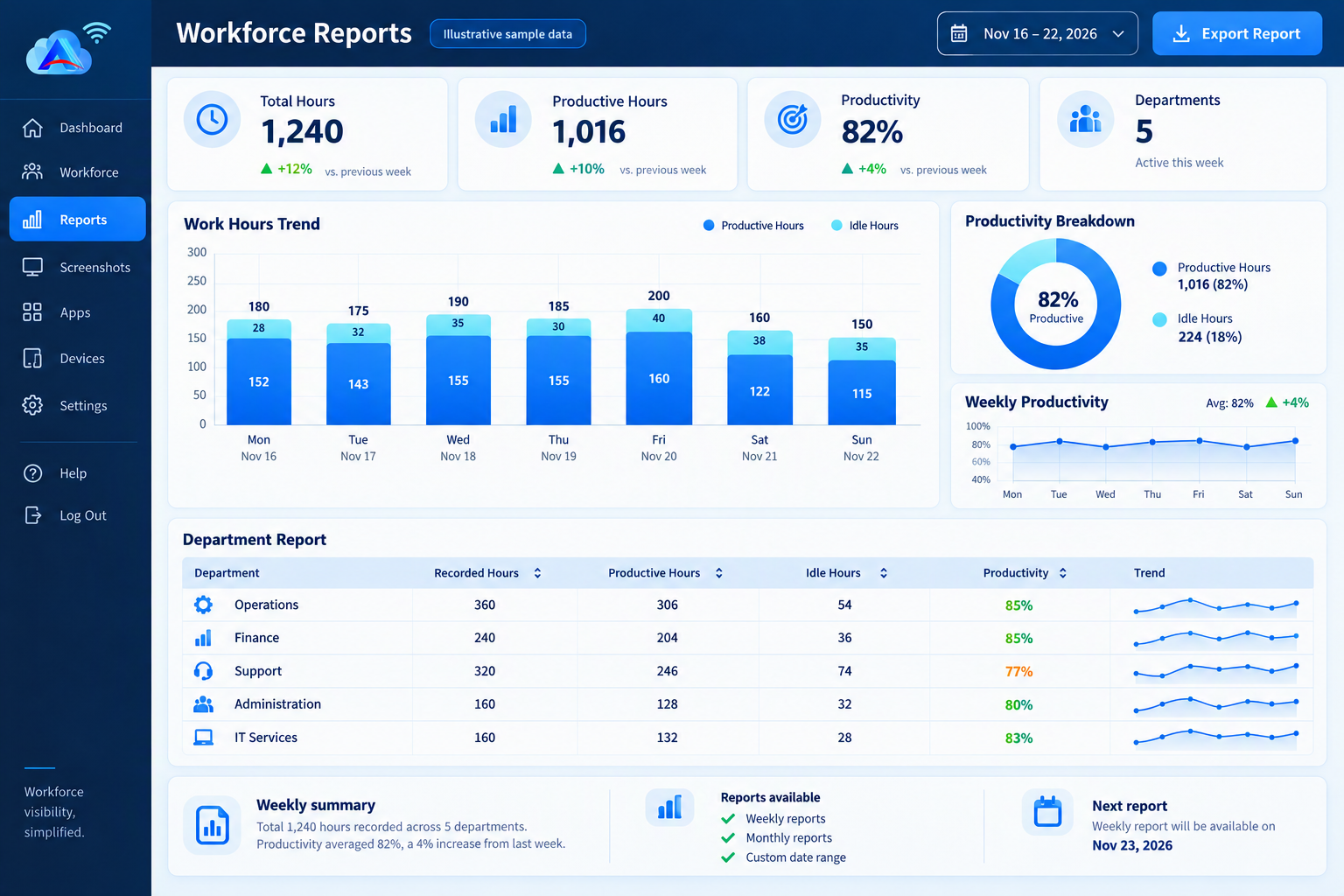
A-Plus Workforce Cloud weekly and monthly reports dashboard Illustrative product data
WEEKLY & MONTHLY REPORTS

Move from daily activity to operational reporting.

Weekly and monthly reporting brings employee work patterns, productive time and recorded hours into a management-ready view.

  • Weekly workforce reporting
  • Monthly operational reporting
  • Employee and team summaries
  • Reporting-period comparisons
DISTRIBUTED OPERATIONS

Manage the team across the hall or across the world.

Workforce Cloud was designed for organizations where important work happens across multiple offices, remote desktops and time zones.

Foreign & Back-Office Operations Keep U.S. management connected to accounting, POS, invoice-entry and support teams operating abroad.
Call centers & support desks See active staffing, application use and work patterns across scheduled shifts.
Remote employees Get consistent visibility without requiring employees to be on the same physical network.
Multi-location businesses Bring multiple offices and operating locations into one tenant-isolated workforce view.
A-Cloud A-Cloud Workforce Hub
U.S. OfficeLive
Back OfficeConnected
Call CenterConnected
Remote TeamConnected
FAST DEPLOYMENT

From signup to workforce visibility in four steps.

01

Create your account

Select your plan, license quantity and billing cycle.
02

Generate enrollment

Create a secure one-time token for an authorized Windows device.

03

Install the Agent

Download the prepared EXE, double-click and approve the Windows administrator prompt.

04

See the workday

Live status, attendance, screenshots and analytics begin flowing to the tenant portal.

A-Cloud Private A-Cloud Architecture Built on Microsoft Azure
SECURITY BY DESIGN

Workforce data stays separated, private and controlled.

Customer data is tenant-isolated across the portal, API and database layers, with private screenshot storage and controlled enrollment.

Tenant isolationCustomer-scoped workforce data and portal access.
Private screenshot storageScreenshot files remain in private Azure Blob storage.
Azure SQLSubscription, device and activity records stored in the cloud data layer.
Controlled enrollmentOne-time device enrollment links tied to licensed capacity.
HTTPS portalSecure customer access through the Workforce Cloud web application.
Plan-based retention45 / 60 / 90-day screenshot policies.
PLANS FOR EVERY TEAM

Start free. Choose the visibility your operation needs.

Every new account includes a 30-day free trial. Save 15% with annual billing.

BASIC

Essential Visibility

$6.99 / user / month
$71.30 / user annually
  • ✓ Live Workforce dashboard
  • ✓ Productive / Idle / Offline status
  • ✓ Attendance & recorded hours
  • ✓ Employee timeline
  • ✓ Employee & device management
  • ✓ Device enrollment
  • ✓ 45-day screenshot retention
Start Free Trial
ADVANCED

Advanced Operations

$11.99 / user / month
$122.30 / user annually
  • ✓ Everything in Plus
  • ✓ Monthly workforce reports
  • ✓ Advanced productivity analytics
  • ✓ Advanced application analytics
  • ✓ Call-center / shift reporting
  • ✓ Multi-location reporting
  • ✓ Advanced exports & audit tools
  • ✓ 90-day screenshot retention
Start Free Trial
30 days free. Upgrade immediately or schedule a lower plan for your next renewal. Annual subscriptions save 15%.
CONTACT A-PLUS

Need more information?

Talk with A-Plus about Workforce Cloud licensing, deployment, foreign / back-office operations, call centers, remote teams and multi-location workforce management.

Plan Selection Agent Deployment Foreign / Back Office Call Centers Multi-Location Larger Workforces
REQUEST INFORMATION

Tell us about your workforce.

A-Cloud

Bring your workforce into focus.

Start building a clearer view of your workday with A-Plus Workforce Cloud.

Get Started
An unhandled error occurred. Reload ×

Rejoining the server...

Rejoin failed... trying again in seconds.

Failed to rejoin.
Please retry or reload the page.

The session has been paused by the server.

Failed to resume the session.
Please retry or reload the page.